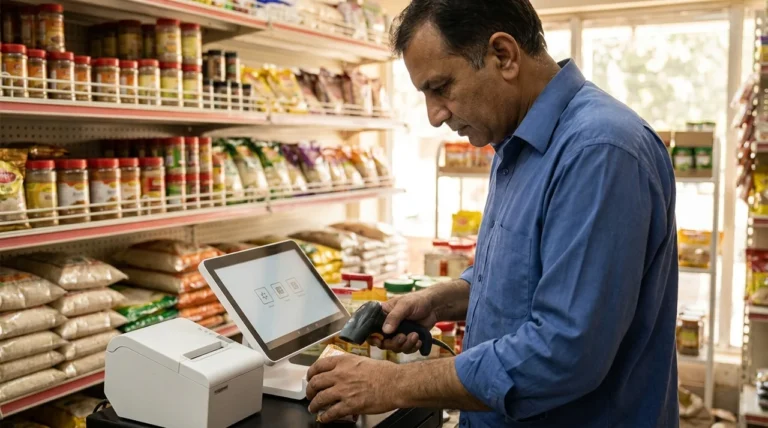
Local SEO for multiple locations needs a reliable information system as much as a set of optimized pages. A US business with several branches must keep addresses, hours, services and contact routes accurate across its website and Business Profiles. Publishing more city pages does not solve inconsistent branch information.
The useful starting point is a location register and a clear page hierarchy. This guide focuses on architecture and governance: which pages should exist, what belongs on them, who can change the information and how the business catches mistakes. No architecture can guarantee rankings or profile approval.
Start local SEO for multiple locations with a location register
Create one authoritative record for each real branch. Include its internal identifier, customer-facing name, address, contact route, regular hours, special-hours owner, services offered and official page URL. Identify the local manager who can verify changes.
Keep administrative notes and access details out of public content. A branch opening date, a temporary entrance change and the person authorized to approve profile edits may all matter operationally, but they belong in different fields with different audiences.
Distinguish physical branches from areas served. Serving customers in a city does not automatically make a business eligible for another Business Profile there. Review Google’s guidelines for representing your business, including accurate real-world representation and precise address or service-area information, before creating or changing profiles.
Choose a hierarchy customers can navigate
For a modest network, a locations directory linking directly to branch pages may be enough. A larger organization may need state or regional groupings when those pages help visitors find a relevant branch. Do not add layers merely to place more geographic terms in URLs.
A simple illustrative structure is a locations hub followed by an individual branch page. If a city has two branches, distinguish them using real neighborhood or branch names. Keep URLs stable when practical, and avoid making visitors guess which location handles their request.
Connect branches to the relevant service pages. Service pages explain the offering; branch pages explain availability, practical details and the local contact path. These are complementary jobs, not reasons to copy the same service article across every city.
Make each branch page genuinely useful
Give customers verified local details that help them decide and arrive. A distinctive page does not require invented neighborhood history, fabricated testimonials or repetitive keyword paragraphs. It requires accurate information about that particular place.
- Customer-facing name, address and an appropriate telephone or booking route.
- Regular opening hours and a process for communicating exceptions.
- Actual services available there, including meaningful limitations.
- Useful arrival details, such as the correct entrance, parking or appointment instructions.
- Current photographs used with permission and checked for accuracy.
Have a local reviewer confirm physical-access information instead of inferring it from a photograph. If the business cannot verify a claim, leave it out or explain whom to contact for details. Helpful uncertainty is better than sending a customer to an unsuitable entrance.

Keep profiles and pages aligned without overclaiming eligibility
Where a location is eligible for a Business Profile, select the most appropriate branch page as its website destination. Match important customer information and verify that the phone or appointment route reaches the intended team. Do not route every branch to a generic homepage if visitors then have to search again.
Google’s guidelines say to represent the business as it is recognized in the real world and choose the fewest categories needed to describe the core business. Avoid inserting promotional keywords into names or creating duplicate profiles to target surrounding cities.
Eligibility and naming can involve business-specific exceptions, including departments and practitioners. Check the applicable current guidance rather than applying a blanket “one profile for every service” rule. Keep an inventory of legitimate profiles and their authorized managers.
Assign change ownership and approval evidence
Use a repeatable request for openings, moves, closures and changed hours. The request should identify the affected branch, effective date, evidence, approver and every channel requiring an update. A local manager supplies facts; a central owner checks consistency and completion.
A hypothetical dental group changing Saturday hours should update the branch page, the relevant profile and any appointment instructions. The reviewer should check the live customer experience, not just mark the request complete after editing an internal spreadsheet.
Platform choice affects how safely staff make those changes. The WordPress versus custom website decision guide helps frame publishing and ownership questions. Give editors controlled fields and previews instead of requiring them to alter page code for routine opening-hour updates.
Measure branch outcomes and maintain the network
Review meaningful branch actions such as appointment requests or qualified enquiries, with consistent definitions and appropriate privacy controls. Separate website analytics from profile interactions, and check attribution limitations before combining them. A rise in traffic does not prove that a branch received more suitable customers.
For stores with complex merchandising, connect location navigation to useful category paths rather than duplicating catalog copy. The category page SEO guide offers complementary navigation questions for retail networks.
When a branch moves or closes, decide how its page should help existing visitors and update linked destinations. If URLs change, use the redesign SEO checklist to plan and verify relevant redirects. Schedule periodic checks of hours, contact routes, photographs and profile access. Sustainable local visibility begins with accurate, maintainable information, not a larger pile of nearly identical pages.