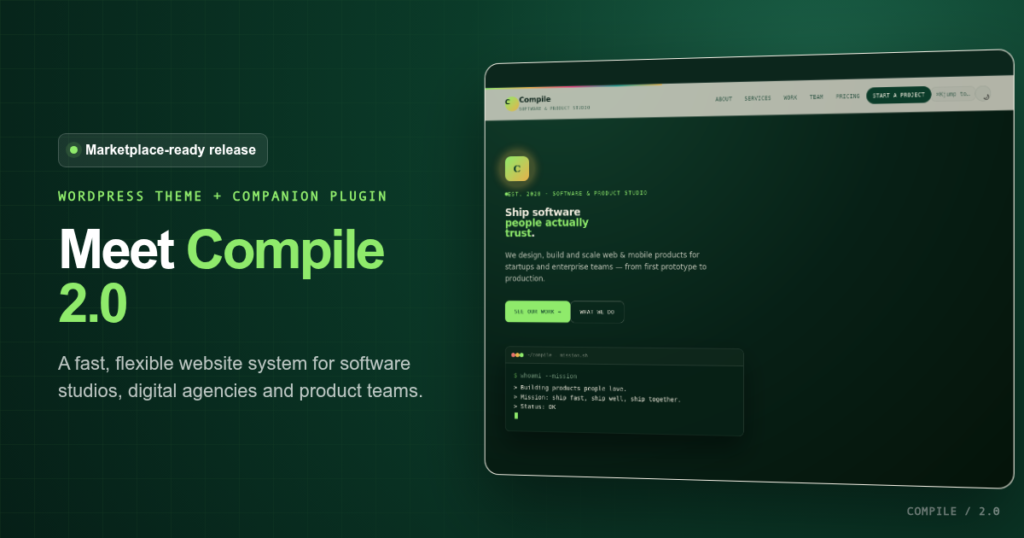
Compile 2.0 is a marketplace-ready WordPress theme for software agencies, development studios, digital product teams, and technology consultancies. It pairs a distinctive, conversion-focused front end with a companion plugin that keeps projects, services, testimonials, team profiles, pricing, and enquiries independent from the design.
If your agency website needs to communicate technical credibility without looking like every other corporate template, Compile 2.0 provides a focused starting point. Its terminal-inspired visual language, responsive layouts, editable homepage, portfolio filtering, accessible interactions, and secure enquiry workflow are designed to help service businesses explain what they do and turn qualified visitors into conversations.
What is Compile 2.0?
Compile 2.0 is a complete WordPress theme for software agencies built around the pages and proof points a modern technology company usually needs: services, selected work, process, team, testimonials, locations, technologies, articles, pricing, frequently asked questions, partners, milestones, and contact enquiries.
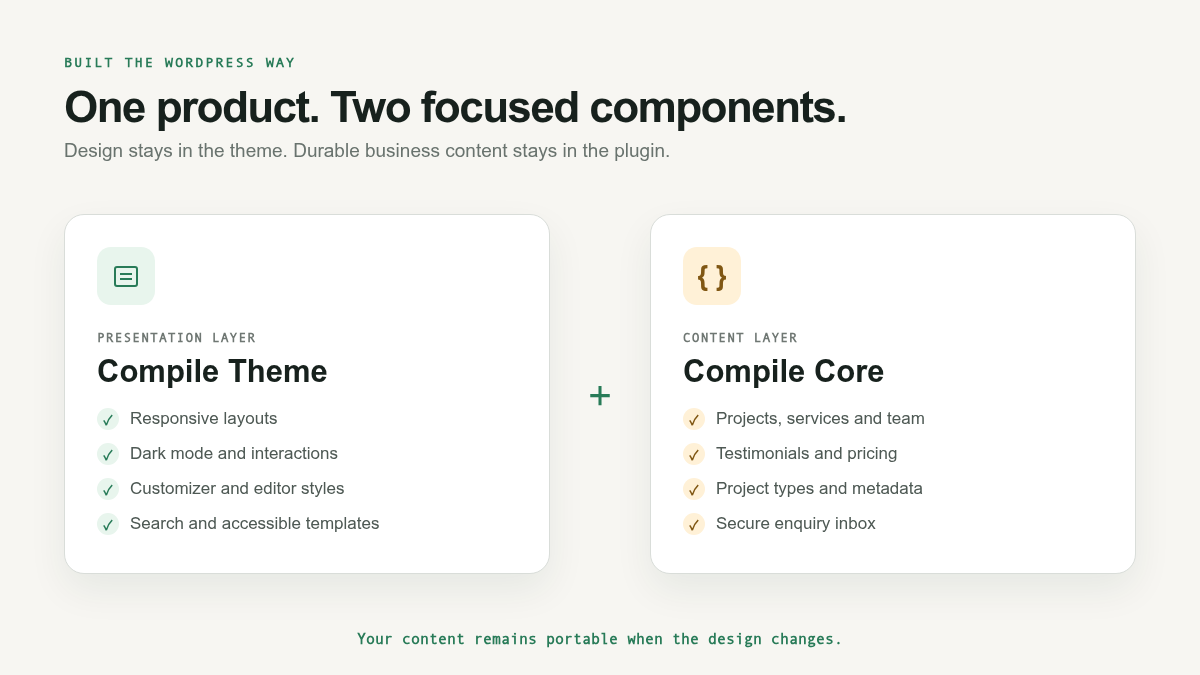
The package contains two installable components:
- Compile Theme controls presentation: layouts, typography, colors, templates, responsive behavior, dark mode, animations, search, and homepage customization.
- Compile Core stores durable business content: projects, project types, services, team members, testimonials, pricing plans, FAQs, offices, technologies, milestones, partners, and private enquiries.
Why the theme and plugin are separated
Separating design from long-term content is more than a packaging decision. A WordPress theme should control how a site looks, while a plugin should preserve the information a business needs even if the theme changes later.
With Compile Core active, your case studies, client quotes, pricing details, team profiles, and enquiries are not locked inside the theme. That structure is easier to maintain, more portable, and better aligned with WordPress marketplace expectations.
Key features of Compile 2.0
1. A portfolio designed for relevant proof
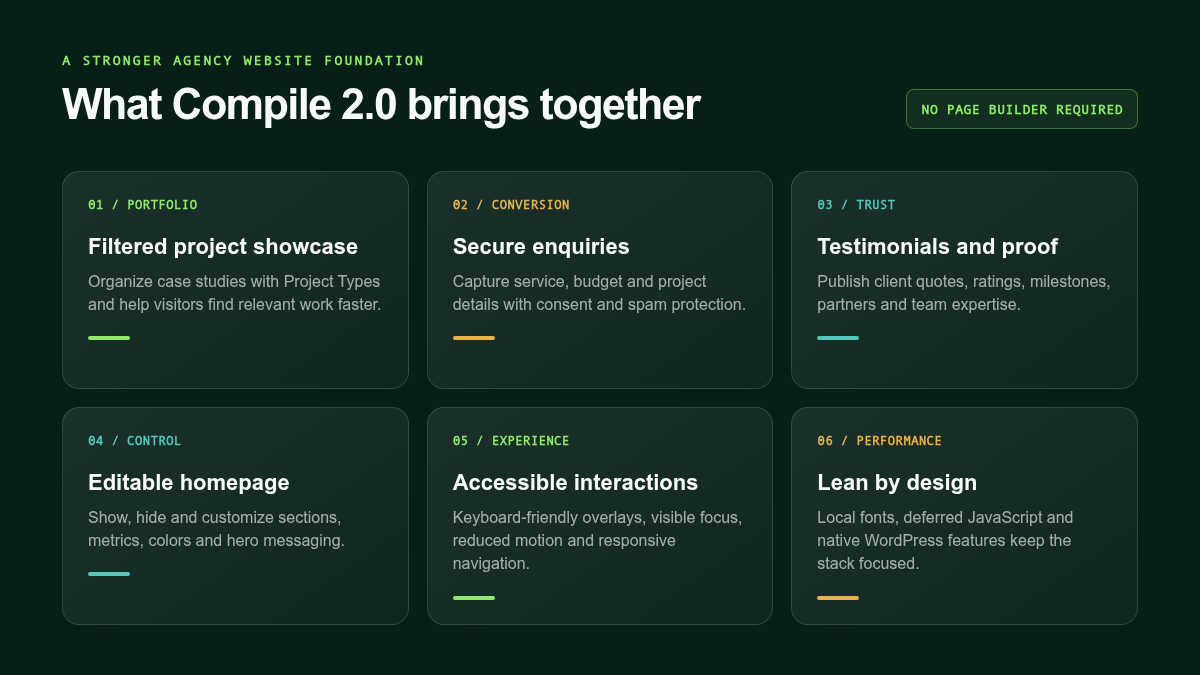
Compile Core adds a structured Projects area and a hierarchical Project Types taxonomy. On the homepage, visitors can filter work by category, making it easier to find the case studies that match their industry, platform, or technical challenge. Each project can include a client, year, external URL, image, excerpt, and detailed story.
2. Editable services, team, pricing, and trust signals
Instead of hard-coding important business information into template files, Compile 2.0 provides dedicated WordPress admin areas for services, team members, testimonials, pricing plans, FAQs, locations, technologies, milestones, and partners. Reordering content uses familiar WordPress page-order controls, while focused metadata fields keep entries consistent.
3. A secure project-enquiry workflow
The enquiry form collects a prospect’s name, email, required service, estimated budget, and project details. It includes nonce verification, a honeypot, consent validation, sanitization, safe redirects, and a one-minute IP rate limit. Submissions can be stored privately inside WordPress and sent to a configurable recipient through wp_mail(). For reliable delivery, connect WordPress to an authenticated SMTP service.
4. Homepage controls without a page-builder dependency
Compile’s Customizer options let site owners change brand colors, hero messaging, call-to-action links, contact information, social profiles, announcement text, impact metrics, and growth data. Individual homepage sections can be shown or hidden without deleting their content. This keeps the editing experience focused while avoiding another visual-builder dependency.
5. A distinctive interaction system
The design includes a terminal-inspired hero, command palette, dark and light appearance modes, portfolio filters, FAQ accordions, responsive navigation, section progress, animated metrics, and optional decorative effects. These interactions are progressively enhanced, so the underlying links and content remain useful when JavaScript is unavailable.
6. Accessibility and reduced-motion support
Compile 2.0 improves keyboard navigation, focus visibility, overlay semantics, mobile-menu state, FAQ controls, form labels, and screen-reader announcements. Motion-heavy effects respond to the visitor’s reduced-motion preference, while custom-pointer effects are limited to suitable fine-pointer devices.
7. Local assets and a leaner front end
Space Grotesk and IBM Plex fonts are bundled locally with their license files, so the theme does not need to contact Google Fonts. The primary interaction script is deferred, images use native WordPress handling, and the theme relies on core APIs rather than a large collection of bundled frameworks.
Who is Compile 2.0 for?
Compile 2.0 is particularly well suited to:
- Software development agencies that need to present technical services and case studies.
- Product design studios that want a strong visual identity without a heavy page builder.
- Cloud, DevOps, cybersecurity, AI, and data consultancies.
- Startup studios and venture builders managing a varied project portfolio.
- Independent development teams preparing a professional agency website.
- WordPress authors seeking a reusable technology-business theme foundation.
How to install Compile 2.0
- Extract the outer Compile 2.0 marketplace package on your computer.
- In WordPress, open Appearance → Themes → Add New → Upload Theme.
- Upload
Theme/compile.zip, then activate it. - Open Plugins → Add New → Upload Plugin.
- Upload
Plugins/compile-core.zip, then activate it. - Configure branding and homepage sections under Appearance → Customize → Compile Theme Options.
- Set the enquiry recipient under Settings → Compile Core.
- Add approved services, projects, testimonials, team members, pricing plans, and other business content.
- Configure SMTP and send a real test enquiry before launch.
The outer marketplace package is not uploaded directly to WordPress. Extract it first, then install the theme ZIP and plugin ZIP separately.
SEO, content, and launch considerations
A theme provides the technical and visual foundation, but search visibility still depends on useful content. Replace every demonstration service, case study, testimonial, statistic, and team profile with accurate information. Give each project a clear business problem, solution, technology summary, and measurable outcome. Use descriptive image alternative text, connect related articles, and keep page titles aligned with the services customers actually search for.
Before production, run the theme and plugin on a clean staging installation with WordPress debugging enabled. Test current supported PHP versions, keyboard navigation, responsive layouts, reduced motion, archives, search, form delivery, and the site with Compile Core temporarily inactive. Marketplace authors should also run Theme Check and Plugin Check and verify the licensing of every preview asset.
Frequently asked questions
Is Compile 2.0 one product or two?
It is one product delivered as a theme and a companion plugin. The theme controls presentation; Compile Core stores reusable business content and handles enquiries.
Is Compile Core required?
The theme can display its fallback content without the plugin, but Compile Core is recommended for editable projects, services, testimonials, metadata, portfolio filters, and the private enquiry workflow.
Does Compile 2.0 require a page builder?
No. The homepage uses native templates, WordPress content types, and focused Customizer controls.
Can the colors and hero copy be changed?
Yes. Brand colors, hero text, buttons, contact information, social links, announcement content, metrics, and homepage section visibility can be changed without editing PHP.
Will enquiries always arrive by email?
Email delivery depends on the hosting environment. Configure a reputable SMTP service and send a staging test. Compile Core can also keep a private copy in WordPress when storage is enabled.
A focused foundation for an agency website
Compile 2.0 brings design, structured content, portfolio proof, accessibility, and lead capture into a product that remains recognizably WordPress. For a software studio or digital agency that wants a polished website without assembling a large plugin stack, it offers a practical and distinctive foundation.